Tag Archives: RetroComputing

See you at VCF 2026 – “From CoCo to Community: The Color Computer Then and Now”

This weekend in Montreal I’ll be attending, presenting and showcasing my TRS-80 Color Computer retro computer collection along with more than 40 other exhibitors at VCF Montreal 2026, the first VCF event in Canada ever 🤓 🥳 Jan 24-25 Saturday 9AM-5PM, Sunday 9-3PM

The Vintage Computer Federation is a nonprofit dedicated to preserving and showcasing historic computers through museums, workshops, and festivals. Its events matter because they keep early computing knowledge alive, build community, and give the public rare hands‑on access to the machines that shaped modern technology.

This is a unique opportunity to learn about the origins of modern computing and a reminder of simpler times when there was a clear vision and assumption that technology could be tamed and controlled to help, not the opposite.

For more information and to buy your tickets, this way !

This takes place in St-Jean-sur-Richelieu, about 30m south of Montreal.

My talk description:

From CoCo to Community: The Color Computer Then and Now (Français & English)
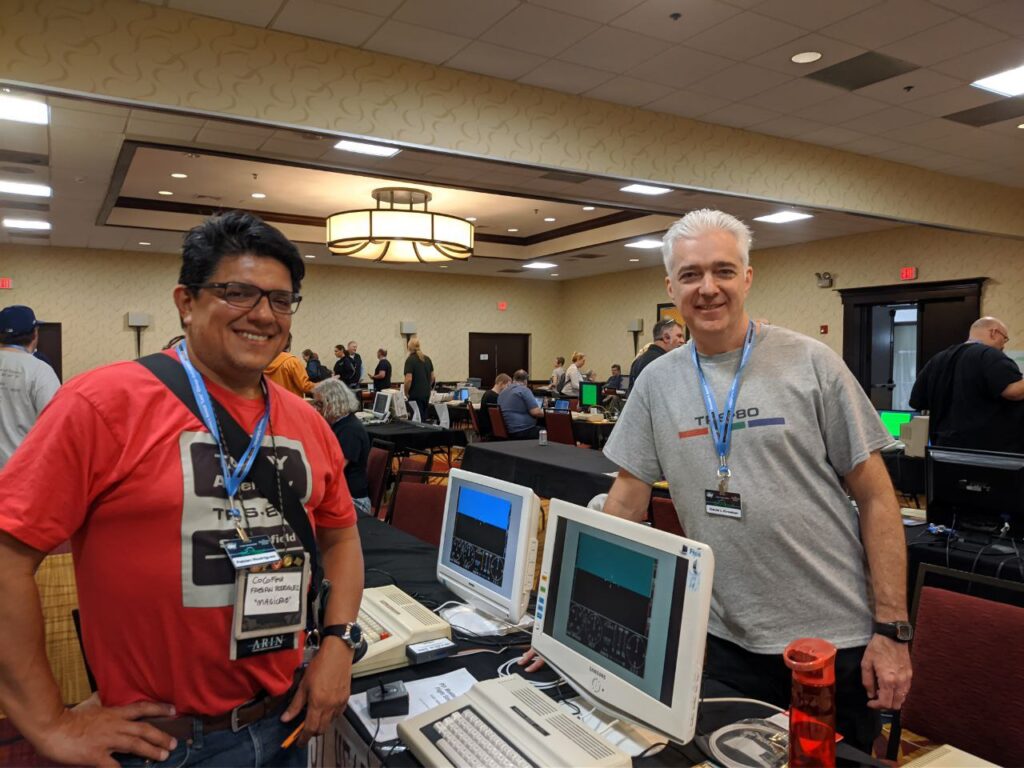
CoCoFest 2023

Join Fabian Rodriguez, Montréal-based open-source consultant and lifelong CoCo enthusiast, for a deep dive into the legacy and future of the Tandy Color Computer. From the humble beginnings of the Radio Shack / TRS-80 Color Computer to the expanded capabilities of the Tandy CoCo 3, this presentation traces the machine’s historical impact and its vibrant modern revival.

Fabian will showcase his personal collection, share insights into active development projects, and highlight community resources, new software titles, and inventive hardware hacks that keep the CoCo spirit alive. He’ll also share memories of co-founding CoCoByte, a CoCo users club in Colombia in the eighties.

I finally got my Apple IIc

I recently (as of July 2001) rescued an Apple IIc computer from the sidewalk, which resulted in re-discovering this classic computer introduced April 24th, 1984. To make a long story short, I always wanted to own an Apple II computer in the old days, and now it seems destiny put it in my way 🙂

The information presented here is a small account of my findings, and includes some of my own contributions and additions to the resources I have found. Important: I have not tested this in any way, as of August 2001. This information is presented here for self-documenting purposes, hoping I will someday have the time to update it and play/test it. Enjoy!

AppleSoft Manual

AppleSoft manual (french, PDF, 685K), (mirror for North American users)

How to connect any PC to an Apple II

Requirements

  • An Apple II equiped with a Super Serial Card, a card which is hardware-compatible with SSC, or built-in SSC-compatible serial port hardware. The IIc+ and //c include SSC-compatible serial ports. The built-in IIgs serial ports are _not_ hardware-compatible with SSC and will not work with ADT 1.22.
  • A PC running Windows 98, 95 or 3.1, with a standard serial port, either DB9 or DB25
  • The Apple Disk Transfer program – Apple Disk Transfer ver. 1.22 (ADT122.ZIP, 71KB)
  • A DOS 3.3 formatted diskette – this will be used to store the ADT software
  • A custom-made serial cable which you can make

Note:
Windows 98 users will have to replace their current HyperTerminal version by downloading the latest HyperTerminal Personal Edition.

Serial cable pinout

To make this cable you will need:

  • Shielded multiconductor cable (5-wire) (Radio Shack #910-1610 or similar)
  • DB9 or DB25 connector for PC ending of cable, depending on your PC serial port configuration. This is known as a combination of IDC D-Sub connector and housing, must be male of course.
  • Standard DIN 5-pin male connector (Jameco part #15878)

Of course, some soldering equipment won’t hurt 😉

PC Conector
Function DB25
DSUB 25
DB9
Receive DATA 3 2
Transmit DATA 2 3
Ground 7 5
Data Set Ready + Carrier Detect 6+8 6+1
Data Terminal Ready 20 4
Apple //c conector
Functions DIN
Transmit DATA 4
Receive DATA 5
Ground 2
Data Terminal Ready 1
Data Set Ready + Carrier Detect 3

Credits
Some of the information presented here is an adaptation of the information found at this french site.

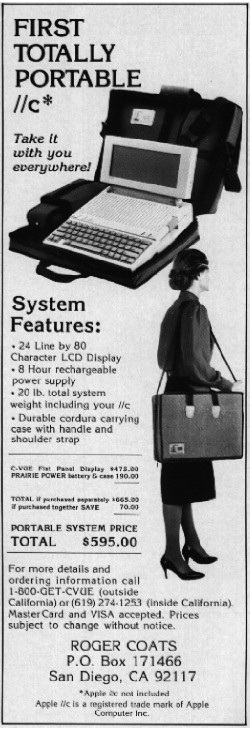
IIcPortablesystem